
Autonomy your teams want.
Control your board requires.
The real AI risk isn't the platform you sanction — it's the fifty shadow tools your teams already use without you. Omnishi replaces them with one layer: permission-aware, fully logged, and governed from a single dashboard.
- It can't see what you can't
- Every action logged and auditable
- You hold the controls
Governance built in, not bolted on.
Most platforms ship autonomy first and answer the security review later. Omnishi was built in the opposite order: zero-trust knowledge management, permission-based access, and transparent AI actions are the foundation — the autonomy sits on top of them.
Security & Governance
Enterprise-grade control without the complexity.
Admin Dashboard That Actually Controls Things
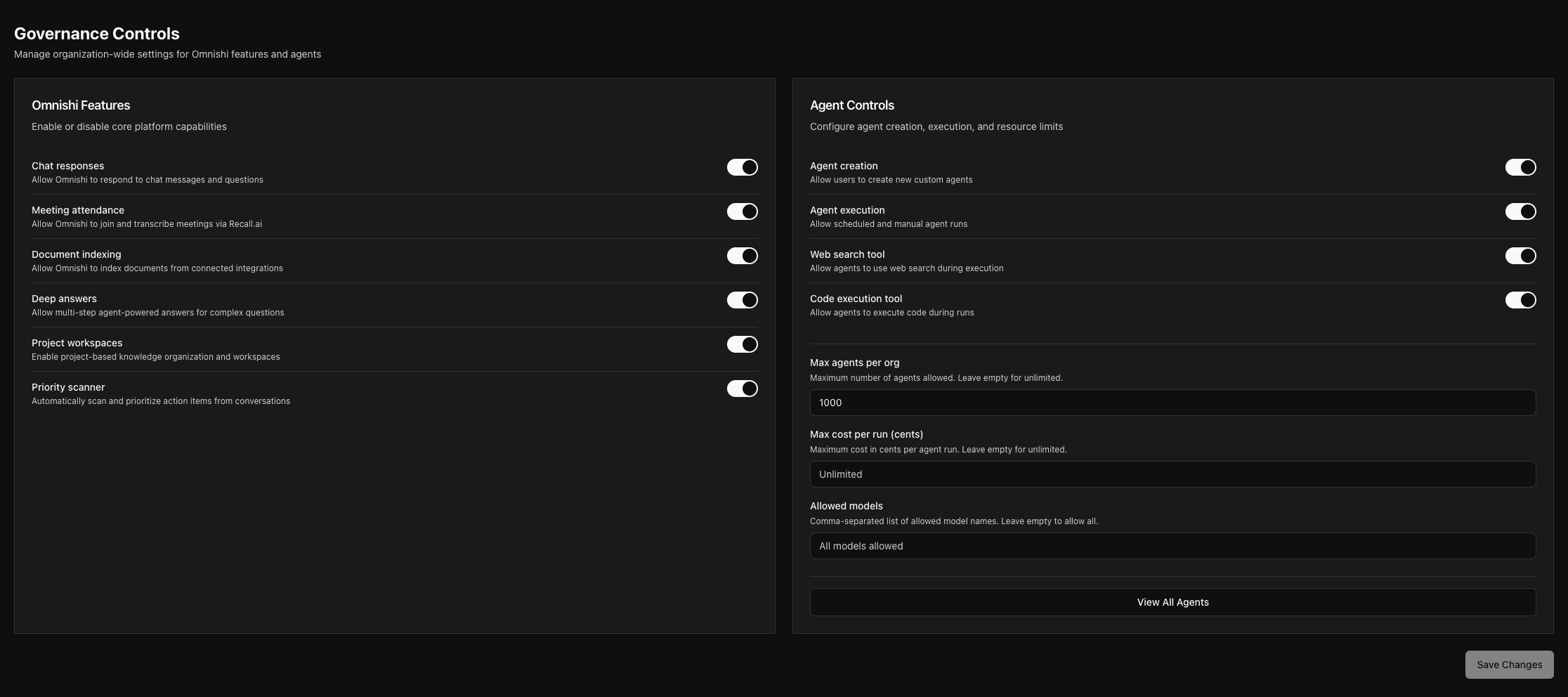
Your governance screen gives you real control over Omnishi's behavior.
Configurable without engineering involvement.
- Set maximum agents per organization
- Control daily run limits per agent
- Cap tool calls per run to prevent runaway automation
- Toggle features on/off org-wide (chat, meetings, deep answers, project workspaces)
Security Integrations
Built for enterprise security requirements.
Your security team stays in control. Omnishi operates within your guardrails.
- Proper authentication and authorization
- Access controls aligned with your existing policies
- Audit trails of all AI actions
- Compliance with your security framework
Permission-Based Access
AI that respects your org chart.
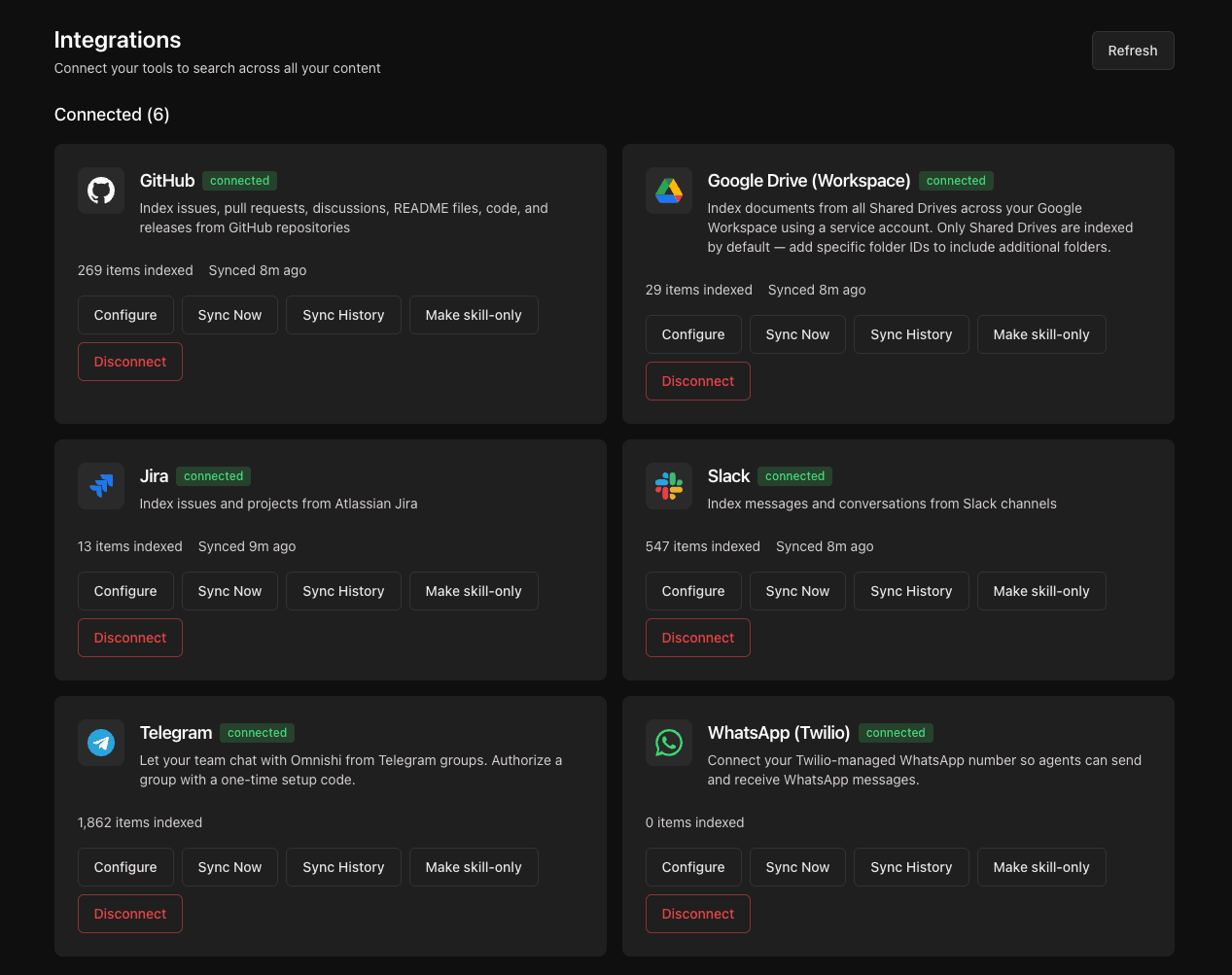
Omnishi only accesses what each user is already allowed to see. It inherits permissions from your existing tools — Google Drive sharing, Slack channel access, document permissions, meeting attendee lists. If a user can't see it manually, Omnishi can't see it for them either.
Transparent AI Actions
Know exactly what your AI is doing.
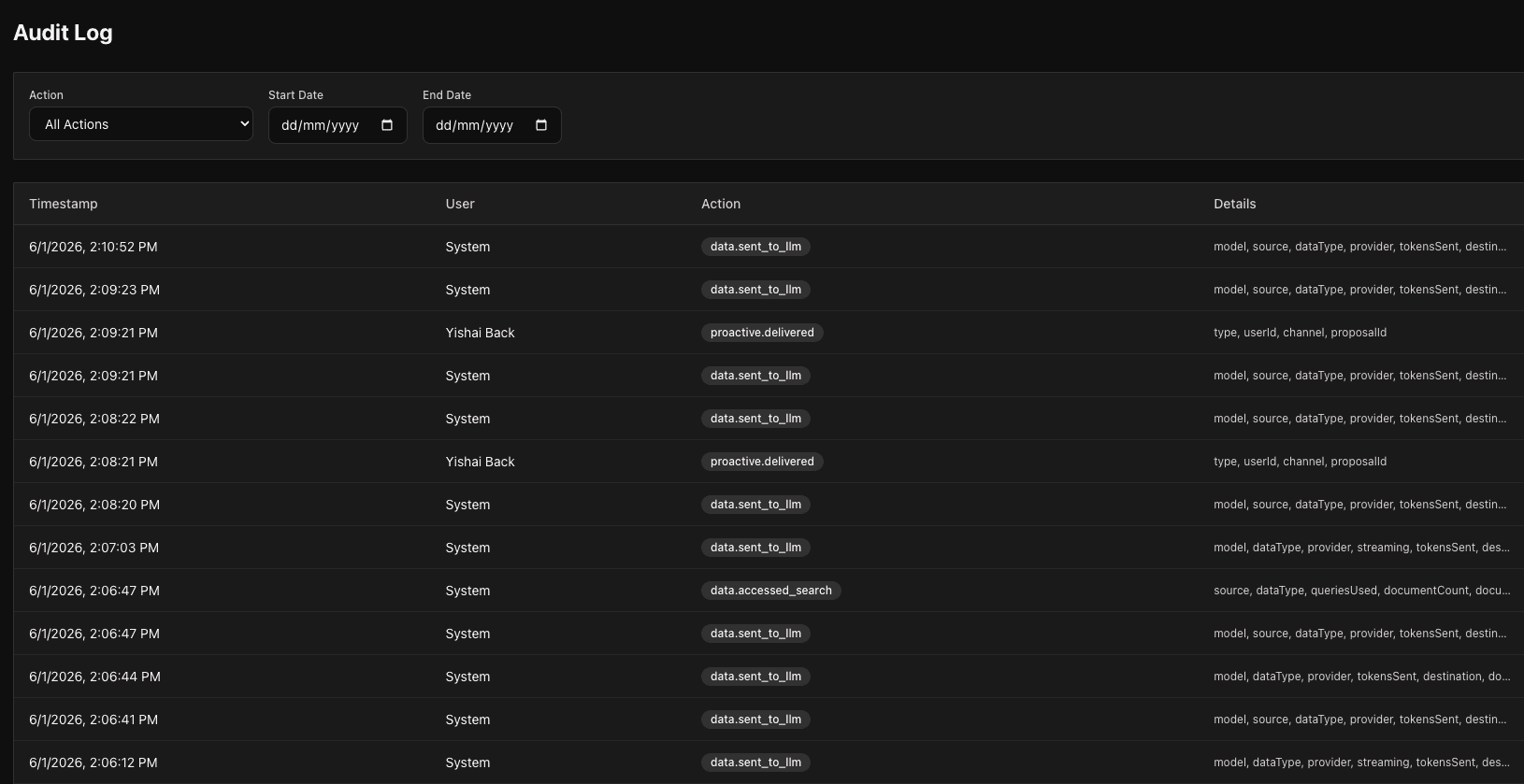
Every automation, every tool call, every action is logged and visible. No black box. Full visibility into your AI operations.
- Review what agents are doing
- See resource usage and costs
- Audit knowledge sources
- Track authentication history
- Monitor proactive suggestions and acceptance rates
Zero-Trust Knowledge Management
Current truth, not permanent truth.
Omnishi treats knowledge as living and authenticated — not static and assumed. Your AI stays current with your actual business, not outdated files.
- Information is "true now" until superseded
- Old documents don't override recent decisions
- Meetings and conversations update what the AI knows
- Authentication expires naturally when context changes
The shift
From shadow AI to sanctioned AI.
Trust & control
Built on what you already trust.
Before the feature tour: how Omnishi keeps you in charge.
It can't see what you can't.
Omnishi inherits your existing permissions — Drive sharing, Slack access, document rules. If a user can't open it manually, Omnishi can't either.
Nothing happens in the dark.
Every automation, every tool call, every action is logged and auditable. No black box.
You hold the controls.
Set agent limits, daily run caps, and toggle features org-wide — no engineering required.
What it does
What your teams get in return.
Chat that already has your context.
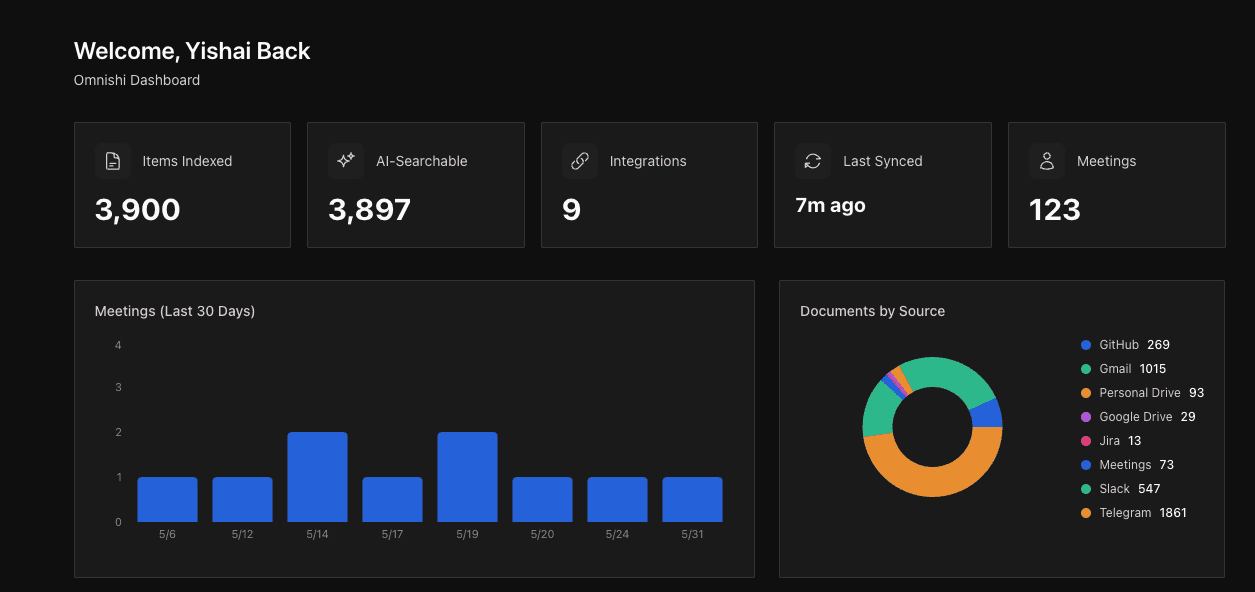
Ask anything. Omnishi answers from your real company knowledge — documents, meetings, conversations, decisions made yesterday. No briefing, no document hunt, no re-explaining. It indexes Google Drive, Notion, GitHub, Confluence, Jira, Asana, and the meetings it joins, so the answer is grounded in what's actually true today, not in stale files.
Slack, Teams, Telegram — in the flow.
Don't switch apps. Don't open a new tab. Mention @Omnishi in any channel or DM and the assistant answers, drafts, or runs an automation right there. Your team gets expert-level AI without learning a new tool.
Suggests the work, then does it.
Omnishi watches how your team works and proactively surfaces what it can take off your plate — a follow-up to draft, a report to compile, a workflow to automate. Accept or skip. Once running, automations execute end-to-end across your tools, with every step visible.

Built for everyone.
AI expertise shouldn't live with a few power users. Because Omnishi comes to people in the tools they already use, everyone gets expert-level AI without learning a thing.